IAT 806 · Intro to Computing
Embeddings: how AI and Machine Learning understand meaning
Computers can't compare meanings, but they can compare numbers. An embedding turns a word, a sentence, or a photo into a list of numbers, so that things with similar meaning get similar numbers. This page explains how that works, then uses it to build two small apps: one that labels photos and one that searches them.
Scroll to move through each part. The figures change as you read, and you can try everything with your own words and photos.
A list of numbers that describes something
Here's a tiny embedding we made by hand. Each thing gets two numbers: how big it is, and how alive it is, each from 0 to 1. A cat is [0.20, 0.88]: small and alive. A car is [0.70, 0.05]: big and not alive.
Two numbers are enough to place each thing on a chart.
Similar things end up close together
cat and dog have similar numbers, so they land close together: the distance between them is 0.15. cat and car have very different numbers, and they're 0.97 apart.
That's one way to compare two embeddings: measure the distance between their points. A short distance means the two things are similar.
Similar things also point the same way
Now draw each list as an arrow instead: start at [0, 0], go right by the first number and up by the second. cat and dog point in almost the same direction, only 7° apart. cat and car are 73° apart.
Distance and angle are two views of the same idea, and here they agree: by both, cat is much more like dog than like car. Embedding models usually compare angles, because the angle only cares which way an arrow points, not how long it is.
Cosine similarity turns the angle into a score
Instead of the angle itself, we use its cosine. This is called cosine similarity. It's 1 when two arrows point the same way, 0 when they're at a right angle, and −1 when they point in opposite directions.
similarity = cos(angle between the two arrows)
cat and dog score 0.99: very similar. cat and car score 0.29. Sort everything by its score with cat and you get the things most like a cat: dog, mouse, horse, elephant, and then the objects.
Real embeddings use hundreds of numbers
Two numbers can't describe much. On our chart an elephant is almost as similar to a bus (0.76) as to a cat (0.84). Real embeddings use hundreds or thousands, and nobody picks them by hand: a model learns them from huge amounts of data. No single number has a meaning you could name, but the rule still holds: similar meaning, similar numbers.
The figure shows the word apple in CLIP, the model this page uses: 512 numbers, drawn as squares (orange for positive, blue for negative).
Clip encodes Images and Words
CLIP is a model OpenAI released in 2021. It has two parts called encoders. An encoder takes an input and outputs an embedding. CLIP's image encoder turns a photo into 512 numbers; its text encoder turns a word or sentence into 512 numbers.
The map shows 20 photos placed by their embeddings. We can't draw 512 dimensions, so we squashed them down to two. Squashing loses some detail, but things that are close on the map are also close in the full 512 numbers. Photos of similar things ended up together, and nobody told CLIP what the groups were.
Words go on the same map
Now the 20 words, embedded by the text encoder. They have the same length as the photo embeddings and live in the same space, so they go on the same map.
The word apple lands next to the apple photo
Every word ends up next to its own photo. Each of these 20 photos is more similar to its own word than to any of the other nineteen.
That's what CLIP was trained to do. It saw about 400 million photos with their captions from the web. During training it adjusted its numbers so each photo's embedding moved toward its own caption's embedding and away from the others.
Groups mean something too
The map has regions: fruit, animals, vehicles, instruments and places. Photos and words fall into the same ones.
Within a group, closeness still means something. Lemon and banana, both yellow, sit side by side. The horse photo sits next to the mountain: look at what's behind the horse.
The same score, with 512 numbers
CLIP's embeddings are arrows too, with 512 numbers instead of two. We can't draw an arrow in 512 dimensions, but cosine similarity works the same way in any number of dimensions.
Take the word apple and the apple photo. The figure shows their 512 numbers each. How do we get the cosine without measuring an angle?
In code, it's one loop
Multiply the two lists number by number and add up the results. CLIP's embeddings all have length 1, and for arrows of length 1 that sum is exactly the cosine.
function similarity(a, b) {
  let sum = 0;
  for (let i = 0; i < a.length; i++) {
    sum += a[i] * b[i];
  }
  return sum; // the cosine, when a and b have length 1
}
For the word apple and the apple photo, the sum is 0.30.
Compare one word with every photo
Run the same loop between the word apple and each of the 20 photos, then sort. The apple photo comes first and the strawberry second, just like dog came first for cat.
The scores are close together: between a word and a photo, CLIP's scores usually fall between about 0.15 and 0.35. That's normal. What matters is which one scores highest. Both apps later on are built on this one step.
Drop in your own words
Type a word or phrase, or tap a suggestion. CLIP embeds it, and it's placed next to the photos and words with the highest similarity. Click any point to list its closest neighbours. Try a word with two meanings, like Jaguar.
Place a word, or click a photo or word on the map, to list its nearest neighbours.
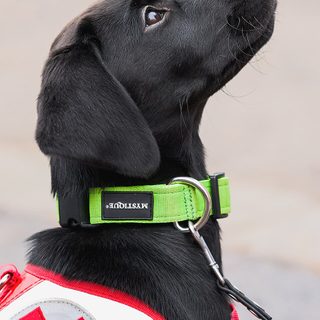
Make an app that labels what's in a photo
The plan: write a list of labels. Embed the photo and every label. Compute the similarity between the photo and each label. The label with the highest score is the answer.
Here's the dog photo with five labels, and dog scores highest. As in Part 3, the scores are close together, but only their order matters.
Turn the scores into percentages
People read 95% more easily than 0.256. CLIP's standard recipe multiplies the scores by 100 and passes them through a function called softmax, which makes them add up to 100%. It also stretches small gaps: dog's lead of 0.04 becomes 95%.
The app works. Now look for ways it fails.
Any app built on a model makes mistakes. Before you ship one, find out what kinds of mistakes it makes and how often. Here are three for this app.
1 · The right label isn't in the list
Remove dog from the labels. The app can't answer “none of these”: it has to pick one of the labels it has. It calls the dog a car.
The percentages always add up to 100%, so the app always sounds sure of something. Whoever writes the label list decides what the app can see.
2 · The photo shows more than one thing
This photo has a horse and mountains. With the labels horse and mountain, the app says horse and ignores the mountains. It returns one label, even when several are true.
Labels can be whole sentences, which helps. Add a horse in front of mountains and it wins, because it describes more of the photo. But you have to think of that label in advance.
3 · It learned from the internet
CLIP learned from photos and captions people posted online. What's common there, it knows well. What's rare, or described unfairly, it gets wrong or repeats. Test an app like this on photos of the people, places and objects it will actually see.
Try the app, and try to break it
Pick a photo or upload your own, then edit the labels. Leave out the right answer, add a more specific description, or upload a photo with several things in it.
Add at least one label.
Search photos with words
The same idea works in reverse. Instead of one photo and many labels, use one search and many photos: embed the search text, compare it with every photo, and sort the photos by similarity. Try something yellow: no photo is tagged “yellow”, but the lemon and banana come first. Try Jaguar: the cat and the car both rank high, because the word means both.
How these apps work
Both apps use the same parts: two encoders, a similarity function, and a step that picks or sorts. Anything that doesn't change, like the label list or the photo collection, is embedded once when the app starts. Only the new input is embedded each time, which keeps the app fast.
Summary
- 1An embedding is a list of numbers that describes something. Draw it as an arrow: similar things point in similar directions.
- 2Real embeddings have hundreds of numbers, learned by a model from data. Language models like ChatGPT use them too.
- 3CLIP has an image encoder and a text encoder. Both output 512 numbers in the same space, so the word apple and a photo of an apple end up close together.
- 4Cosine similarity scores the angle between two arrows: 1 is the same direction, 0 is unrelated. It works the same with 2 numbers or 512. In code, it's multiply and add.
- 5To label a photo, compare it with a list of labels and pick the most similar one.
- 6The app can only choose from your labels, and it always sounds confident. Test it on the photos it will really see.
- 7To search photos, compare one piece of text with every photo and sort by similarity.